Note
Go to the end to download the full example code.
Recommended Offline EEG Denoising Pipeline🔗
This tutorial provides a practical, end-to-end offline denoising workflow using GEDAI on EEG data.
The pipeline is intentionally simple:
Apply a broadband
Gedaimodel to remove large artifacts.Apply
AdaptiveMultibandGedaifor frequency-specific refinement.
Use this tutorial as a template and adapt only the data-loading block and parameter values for your own dataset.
raw = read_raw(str(get_contaminated_eeg_set_path()), preload=True)
Preprocessing
GEDAI will automatically apply an average reference before fitting or
transforming the data. If your acquisition used a different reference,
consider adding the missing reference channel beforehand to preserve
the rank of your data. For example, if your data was recorded with a
Cz reference, you can add a virtual Cz channel as follows:
raw.add_reference_channels("Cz", copy=False).
High-pass filtering before GEDAI usually improves covariance estimation by reducing slow drifts and non-stationarities.
Broadband GEDAI🔗
broadband_gedai = Gedai()
broadband_gedai.fit_raw(raw, noise_multiplier=6.0, n_jobs=n_jobs)
broadband_denoised_raw = broadband_gedai.transform_raw(
    raw, n_jobs=n_jobs, verbose=False
)
Adaptive Multiband GEDAI🔗
adaptive_multiband_gedai = AdaptiveMultibandGedai(
    wavelet_type="haar", wavelet_level=5, cycles_per_wavelet=10
)
adaptive_multiband_gedai.fit_raw(
    broadband_denoised_raw, noise_multiplier=3.0, n_jobs=n_jobs
)
adaptive_multiband_denoised_raw = adaptive_multiband_gedai.transform_raw(
    broadband_denoised_raw, n_jobs=n_jobs, verbose=False
)
Since GEDAI algorithm automatically set the reference to average, you can
reset the reference to the original channel after denoising to preserve the
original reference scheme:
adaptive_multiband_denoised_raw.set_eeg_reference(ref_channels="Cz", copy=False)
Visualize the results
plot_mne_style_overlay_interactive(raw, adaptive_multiband_denoised_raw, duration=15.0)
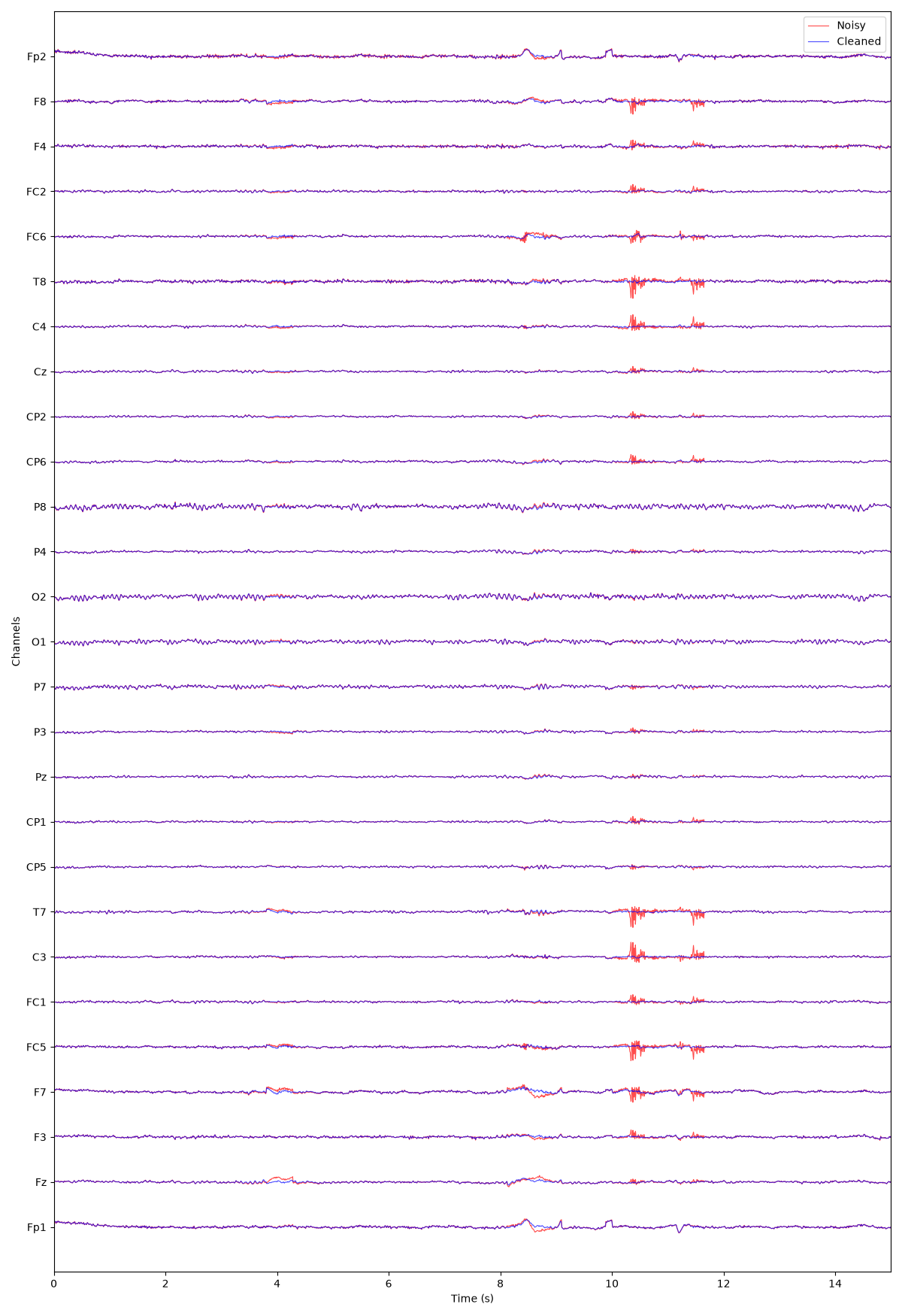
(<Figure size 1200x1750 with 1 Axes>, <Axes: xlabel='Time (s)', ylabel='Channels'>)
Total running time of the script: (3 minutes 29.926 seconds)
Estimated memory usage: 361 MB